Coming soon
HRYour team's clock-in and leave, done on a phone
Staff clock in on their own phones within your shop's radius and request leave themselves. Managers approve in a tap.
- No app to install
- No scanner to buy
- Priced per company
We'll e-mail you when sign-ups open.


Your team's daily HR, in a few taps
Clock-in
Hold for about a second. You're clocked in.
Staff clock in within your shop's radius, on server time, not the phone's clock. Outside the radius, you choose: block it, or allow it with a reason for a manager to review.
- Location is read only at the tap, never tracked all day
- No GPS coordinates stored, only the distance from the clock-in point (outside the radius or with a weak signal, a rough position rounded to 10 m is kept for 90 days for review)
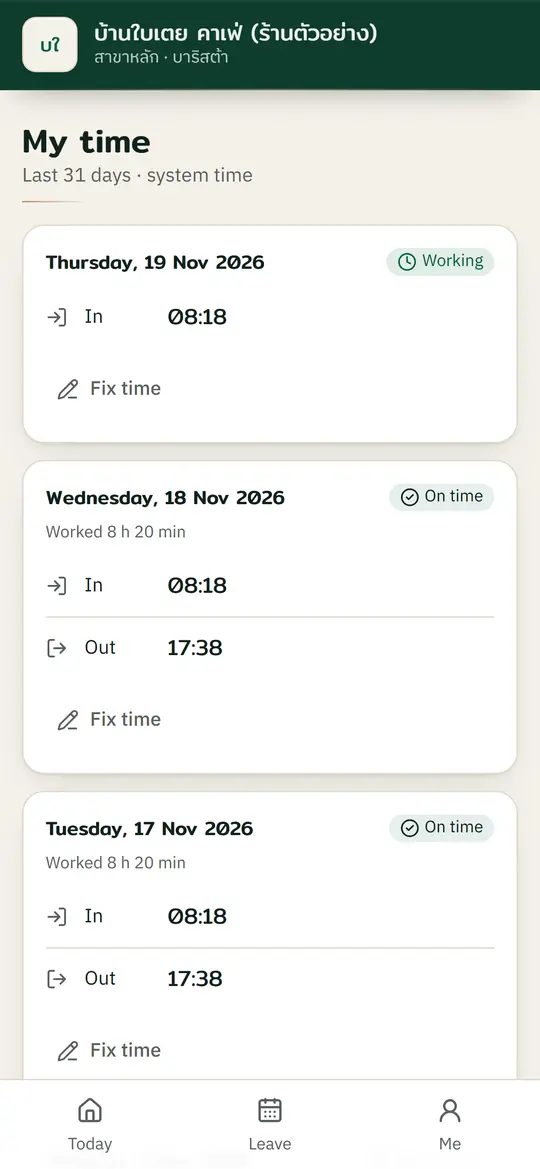
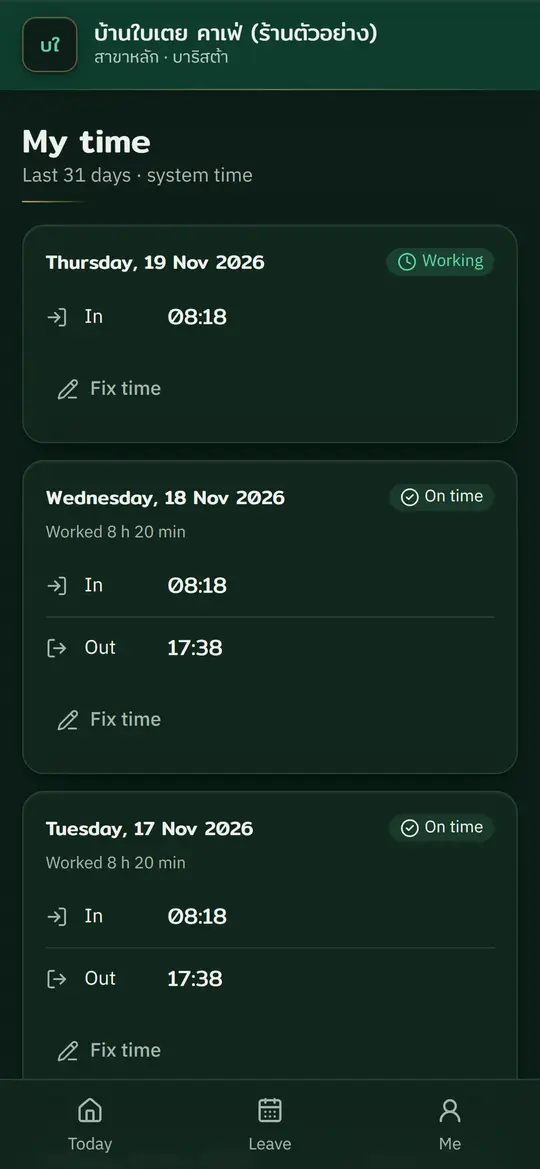
- Forgot to clock out? Request a fix for a manager to approve; nothing is deleted
Leave
Leave requests that don't get lost in chat
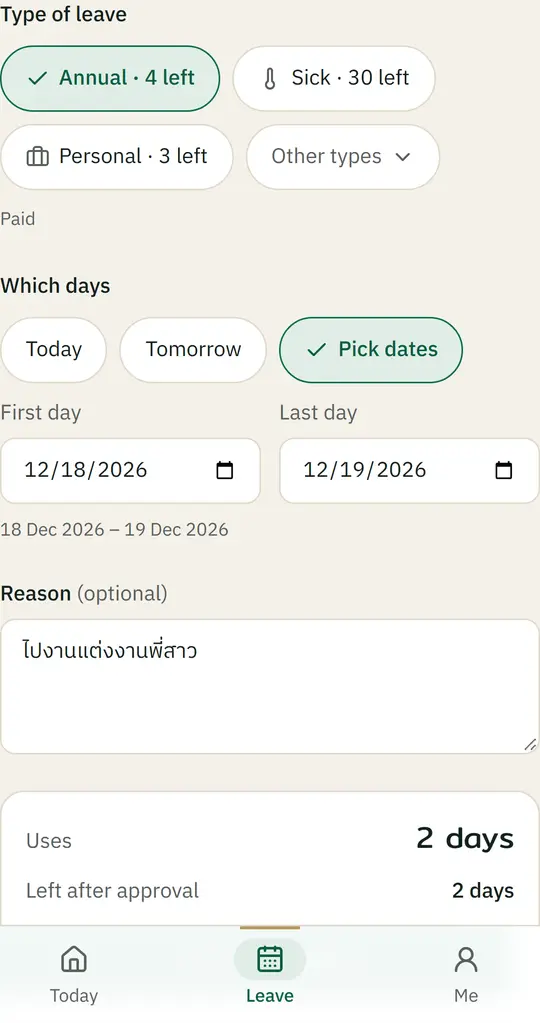
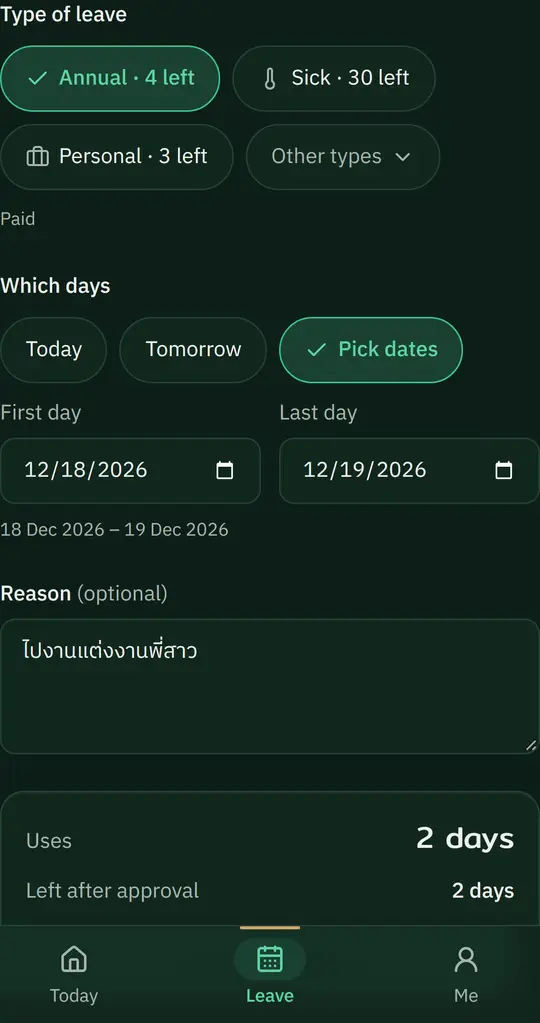
Request leave on a phone and see the balance before sending. Managers approve in a tap, and everyone sees the same numbers.
- Leave types preset to the Labour Protection Act, including 120-day maternity leave; review and adjust
- Adjust to your company rules, never below the legal minimum
- Before approving, managers see who else is off that day
Today's team
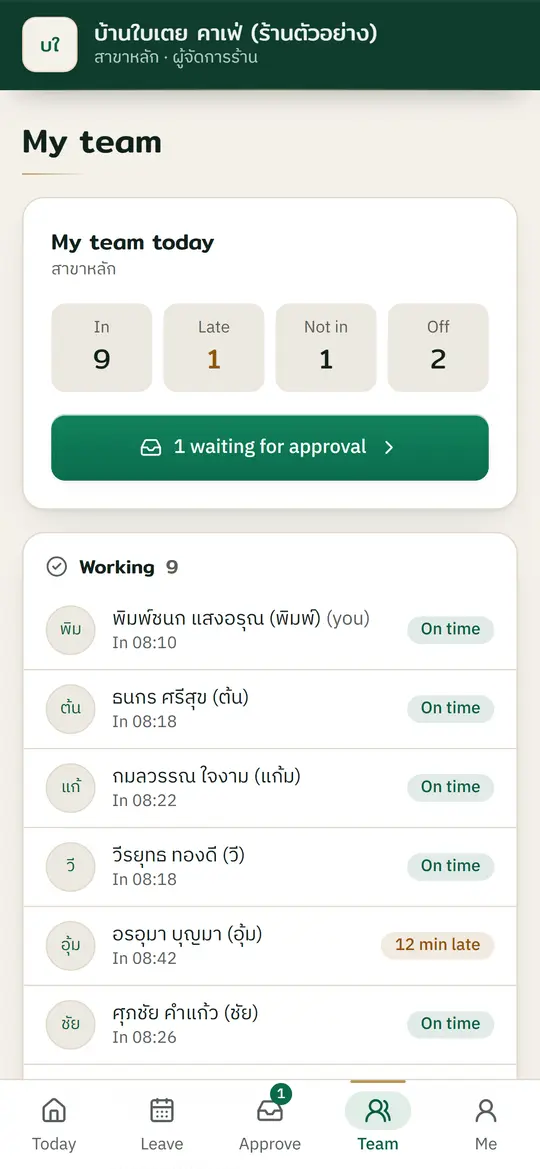
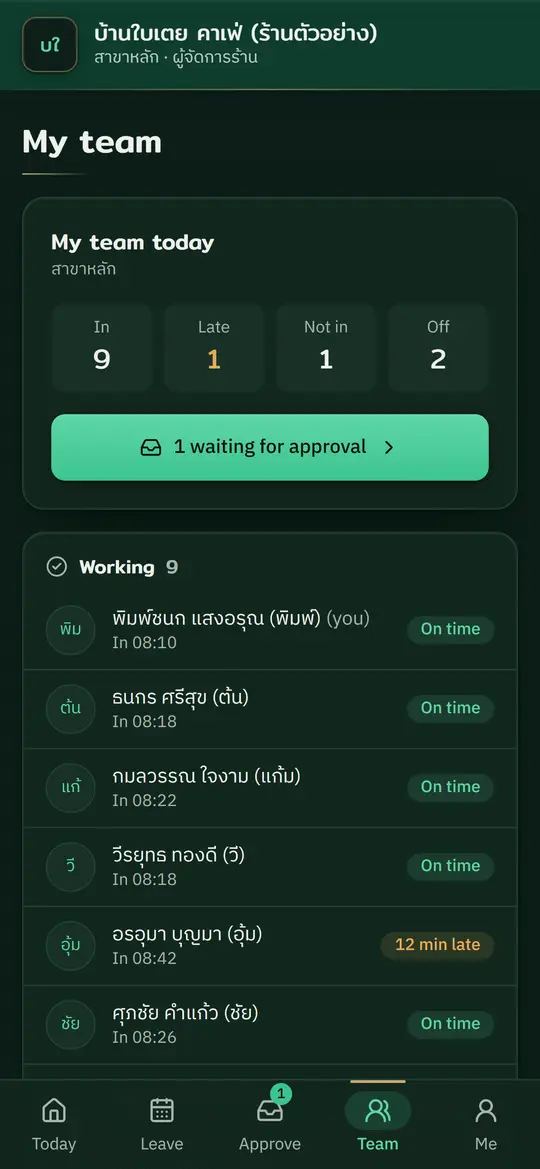
Who's in, who's late, who's off, from opening time
One screen sums up the whole team. When leave is waiting, managers see it in the in-app inbox, and phones with notifications turned on get a pop-up, separate from chat.
- Notifications show no names or leave reasons on the lock screen
- Managers approve from their phone, no computer needed
- Managers see only the branch they run, never pay or bank details
Reports
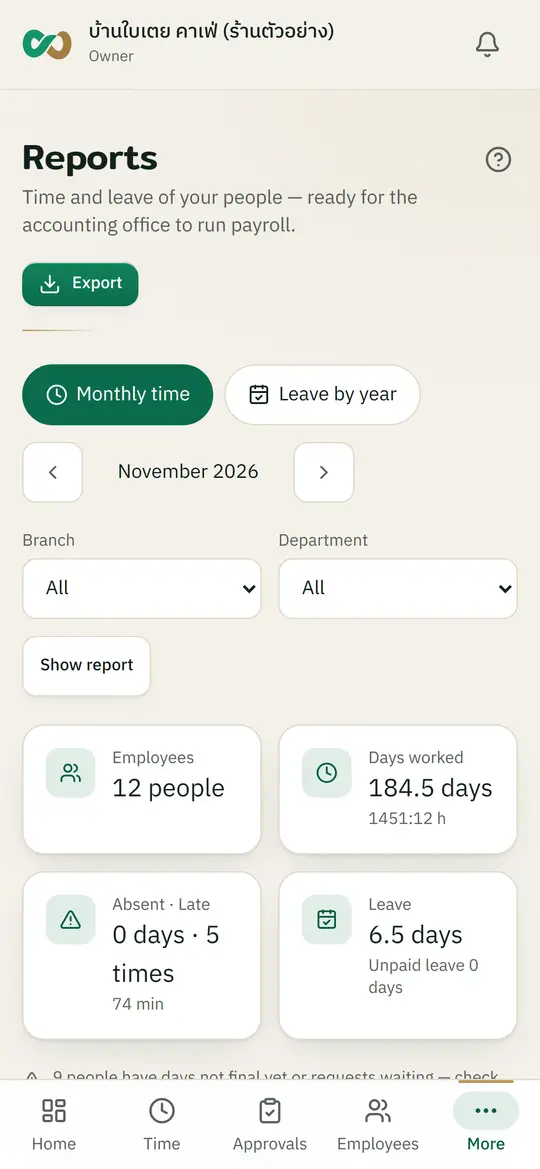
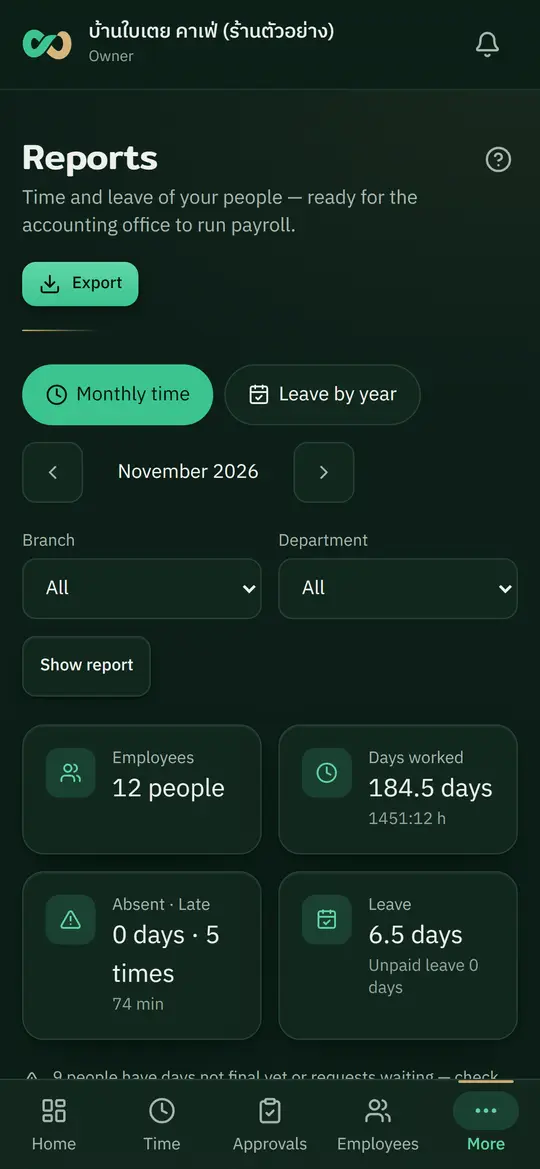
Monthly time and leave, ready for your accountant
Days worked, hours, late, absent, leave by type and holiday work, per person per month. Export to Excel or CSV.
- Leave across months is split by actual day; half days count as 0.5
- Exports need two-step verification, as they include sick leave
- Even with an overdue bill you can still view and export


Also included
Holiday calendar
Pick the year's holidays from a list. It saves once there are 13 days including Labour Day, and works out substitute days.
Time fixes
Missed a clock-in? Ask your manager to fix it, with a full history.
Team leave calendar
See the whole month of who's off when.
Import from Excel
Bring your staff list over from an existing file in one go.
Staff sign-in links
Send a link or QR; staff set their own password. Each link works once.
Company structure
See who reports to whom across the company on one chart.
Your data, your control
Export even with an overdue bill. We don't delete your data because a bill is late or you stop.
Not in Starter yet, plainly
- Shifts and overtimeComing to Pro
- Payroll, payslips, social security and taxComing to Pro
- QR + selfie clock-inComing to Pro
Coming in Pro after pilot customers test it and an accountant checks the calculations
See it work in 45 seconds
No speech, soft music. On-screen text is in Thai, with English subtitles. Everything shown is a sample shop.
Get started in 3 steps
- 1
Pin your shop and set hours
Choose the clock-in point and radius, then set working hours once.
- 2
Add your team
Type them in, or import from Excel.
- 3
Send the link
Staff open it, set their own password and clock in.
A “Getting started” checklist in the app walks you through it.


Priced per company, not per head
Starter from ฿490 a month
Sample prices — not final
Starter: up to 25 staff · 1 branch
Sign-ups are not open yet. Tap “Notify me when it opens” to hear first.
Pro and Business coming soon (no date yet). Upgrade and your data carries over.
Questions
Do staff need to install an app?
No. Staff open a link in their phone's browser. For an icon on the home screen and notifications, tap “Add to Home Screen”.
How do iPhones get notifications?
On iPhone, add the page to the Home Screen first (iOS 16.4 or later); that is how iPhone allows web notifications. The staff page shows how.
Does GPS track staff all day?
No. Location is read only at the moment of clocking in or out. No GPS coordinates are stored, only the distance from the clock-in point; outside the radius or with a weak signal, a rough position rounded to 10 m is kept for 90 days for a manager to review.
Are there LINE notifications?
No. Notifications appear in the in-app inbox and pop up on phones where they are turned on, separate from personal chat, with no message fees.
Does it do payroll?
Not in Starter. Payroll, payslips, social security and tax come in Pro (no date yet), after an accountant checks the calculations. Meanwhile you can export time and leave for your accountant, and your data carries over when you upgrade.
What happens to my data if I stop or pay late?
Your company's data stays under your control. If a bill is overdue past the grace period, or you cancel and the paid period ends, the system becomes read-only: you can still view and export. We don't delete data because a bill is late or you stop. To delete it, a company owner can request deletion in the app, with 14 days to change their mind.
Are there extra charges?
The price shown is what you pay per company. There is no per-person charge within the plan's limits. We are not VAT-registered yet, so no VAT is added.
Our other systems
Retire the sign-in book and leave-by-chat
Leave your e-mail and we'll tell you when sign-ups open.